Cancel a vacation request
What you achieve: You withdraw a vacation request you no longer need, or discard a request that could not be sent.
Before you start
The request is at the top of your vacation list, among your own requests or those you manage. Rows in the “Team vacations” block cannot be canceled.
For a request that has already reached Rillsoft Integration Server, you need the permission to cancel vacation. Permissions are granted by the administration of Rillsoft Integration Server.
You can always discard a request that has not been sent yet or has failed, without any special permission and without network.
Steps
In the header of the task list, tap the palm tree (Vacation Request).
Swipe the row of the request to the side.
Result
The row disappears from the list right away. What happens next depends on whether the request had already been sent:
Not sent yet (no workdays after the period) or Failed: The request is only deleted in the app. The app reports “Vacation request canceled.”, and the sync counter no longer includes it.
Already sent: The app sends the cancellation to Rillsoft Integration Server at the next sync; until then, the sync counter includes it. There, the request is not deleted but kept as canceled. At the next sync it therefore appears in the list again, now with the status Canceled.
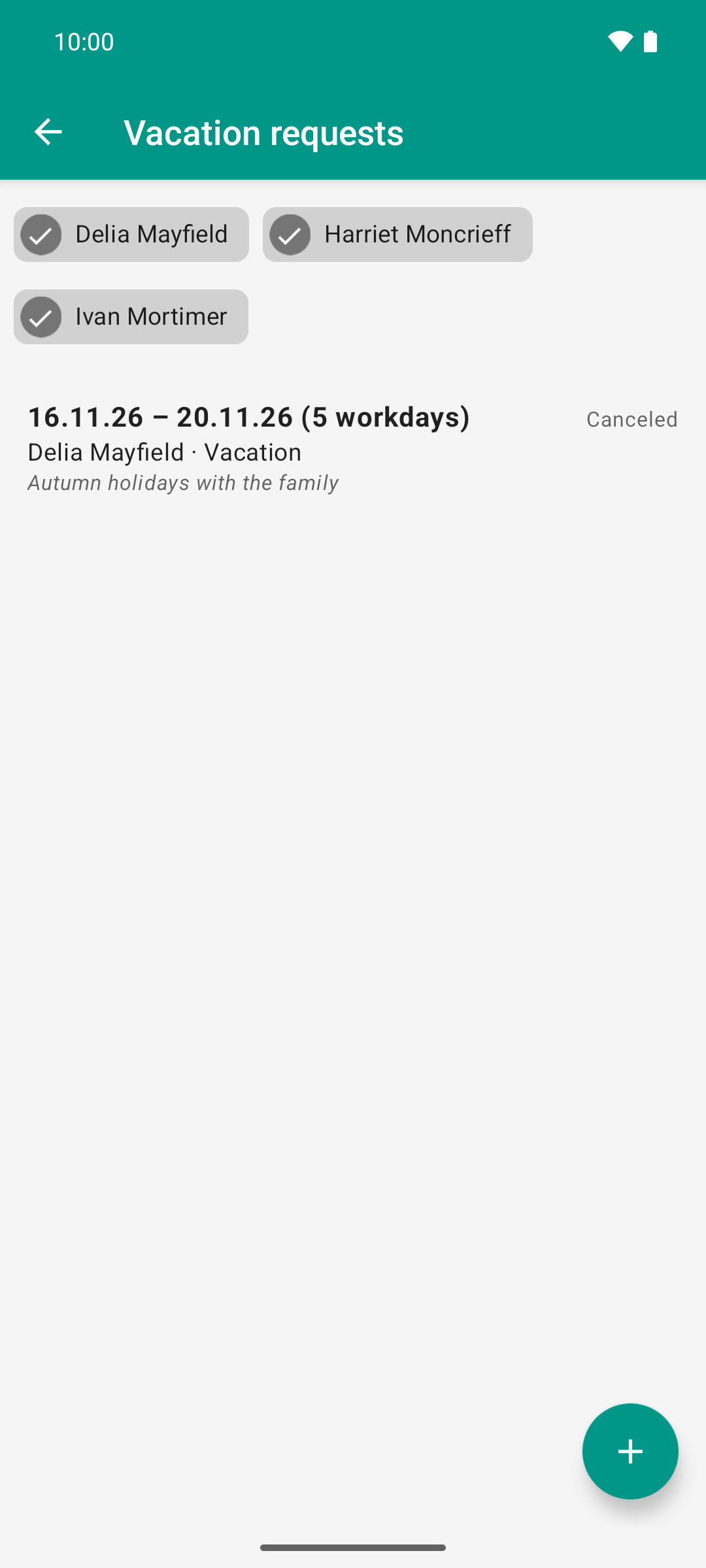
A sent request does not disappear when canceled: after the next sync it is back in the list with the status “Canceled”. Only your own request can be canceled.
Good to know
Nothing happens when you swipe? Then the request has already been sent, and you do not have the permission to cancel vacation. The row stays.
The row comes back, red with “Failed”: Rillsoft Integration Server has rejected the cancellation; the message is shown above it (“Rejected by server: …”). The request remains valid there, unchanged. This can also happen to supervisors who want to cancel another person’s request: the permission in the app allows the swipe, but the server decides whether the cancellation is accepted. In that case, resolve the matter on the web in Rillsoft Integration Server.
Without network, the cancellation of a sent request stays queued in the app and goes out at the next sync.